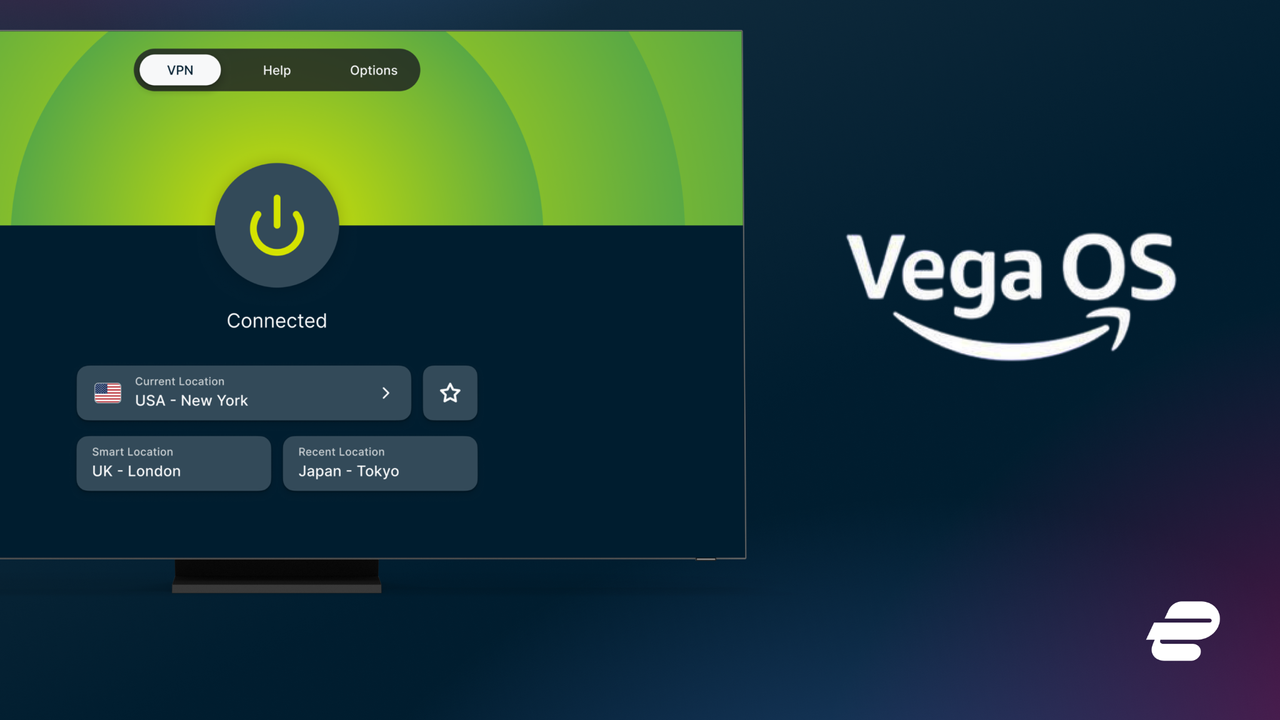
ExpressVPN joins the short list of VPNs built for Amazon's Vega OS Fire TV Sticks
ExpressVPN adds support for Vega OS Fire TV devices The app features remote-friendly sign-in and quick location switching It joins NordVPN, IPVanish, and Surfshark on VegaOS devices ExpressVPN has released a native app for Amazon Fire TV devices running Vega OS, giving owners of the newest streaming
<![CDATA[ <article> <ul><li><strong>ExpressVPN adds support for Vega OS Fire TV devices</strong></li><li><strong>The app features remote-friendly sign-in and quick location switching</strong></li><li><strong>It joins NordVPN, IPVanish, and Surfshark on VegaOS devices</strong></li></ul><p>ExpressVPN has released a native app for Amazon Fire TV devices running Vega OS, giving owners of the newest streaming sticks a mainstream option many have been waiting months for. </p><p>For anyone shopping for the <a href="https://www.techradar.com/vpn/best-vpn">best VPN</a> to pair with a next-gen Fire TV Stick, this launch is significant. ExpressVPN is one of the biggest names in the category (you can read our full <a href="https://www.techradar.com/reviews/expressvpn">ExpressVPN review</a> for the details), and its arrival noticeably widens a field that had so far been stuck at three providers.</p><p><a href="https://www.techradar.com/vpn/amazon-fire-tv-stick-vpn">Fire TV VPN</a> users with supported Vega OS devices can now download ExpressVPN from the Amazon Appstore and connect in just a few clicks.</p><p>The rollout covers all supported hardware, including the Fire TV Stick 4K Select, the first device to ship with Amazon's Linux-based platform.</p><div class="product"><a data-dimension112="ff863560-a7b7-11f1-9a4b-89ebbf9c78f7" data-action="Deal Block" data-label="ExpressVPN: Starting from $2.49 per monthExpressVPN is the easiest VPN to use on our list, making it a great option for anyone slightly less tech-savvy. It’s also very fast thanks to the Lightway Turbo protocol and has great unblocking skills, making it an ideal streaming VPN. Subscriptions start at $2.49 per month on the two-year plan, which puts it on a par with NordVPN. As with most VPNs, there’s a 30-day money-back guarantee. ExpressVPN: Starting from $2.49 per month" data-dimension48="ExpressVPN: Starting from $2.49 per monthExpressVPN is the easiest VPN to use on our list, making it a great option for anyone slightly less tech-savvy. It’s also very fast thanks to the Lightway Turbo protocol and has great unblocking skills, making it an ideal streaming VPN. Subscriptions start at $2.49 per month on the two-year plan, which puts it on a par with NordVPN. As with most VPNs, there’s a 30-day money-back guarantee. ExpressVPN: Starting from $2.49 per month" href="https://go.expressvpn.com/c/221109/3418589/16063" target="_blank" rel="nofollow"><figure class="van-image-figure " ><div class='image-full-width-wrapper'><div class='image-widthsetter' style="max-width:200px;"><p class="vanilla-image-block" style="padding-top:100.00%;"><img id="NNfAW8AyUh9MJiVKAtYBCF" name="ExpressVPN deal image.jpg" caption="" alt="" src="https://cdn.mos.cms.futurecdn.net/NNfAW8AyUh9MJiVKAtYBCF.jpg" mos="" align="middle" fullscreen="" width="200" height="200" attribution="" endorsement="" credit="" class=""></p></div></div></figure></a><p><strong></strong><a href="https://go.expressvpn.com/c/221109/3418589/16063" target="_blank" rel="nofollow" data-dimension112="ff863560-a7b7-11f1-9a4b-89ebbf9c78f7" data-action="Deal Block" data-label="ExpressVPN: Starting from $2.49 per monthExpressVPN is the easiest VPN to use on our list, making it a great option for anyone slightly less tech-savvy. It’s also very fast thanks to the Lightway Turbo protocol and has great unblocking skills, making it an ideal streaming VPN. Subscriptions start at $2.49 per month on the two-year plan, which puts it on a par with NordVPN. As with most VPNs, there’s a 30-day money-back guarantee. ExpressVPN: Starting from $2.49 per month" data-dimension48="ExpressVPN: Starting from $2.49 per monthExpressVPN is the easiest VPN to use on our list, making it a great option for anyone slightly less tech-savvy. It’s also very fast thanks to the Lightway Turbo protocol and has great unblocking skills, making it an ideal streaming VPN. Subscriptions start at $2.49 per month on the two-year plan, which puts it on a par with NordVPN. As with most VPNs, there’s a 30-day money-back guarantee. ExpressVPN: Starting from $2.49 per month" data-dimension25=""><strong>ExpressVPN: Starting from $2.49 per month</strong></a><strong></strong><br>ExpressVPN is the easiest VPN to use on our list, making it a great option for anyone slightly less tech-savvy. It’s also very fast thanks to the Lightway Turbo protocol and has great unblocking skills, making it an ideal streaming VPN. Subscriptions start at $2.49 per month on the two-year plan, which puts it on a par with NordVPN. As with most VPNs, there’s a <strong>30-day money-back guarantee</strong>.<a class="view-deal button" href="https://go.expressvpn.com/c/221109/3418589/16063" target="_blank" rel="nofollow" data-dimension112="ff863560-a7b7-11f1-9a4b-89ebbf9c78f7" data-action="Deal Block" data-label="ExpressVPN: Starting from $2.49 per monthExpressVPN is the easiest VPN to use on our list, making it a great option for anyone slightly less tech-savvy. It’s also very fast thanks to the Lightway Turbo protocol and has great unblocking skills, making it an ideal streaming VPN. Subscriptions start at $2.49 per month on the two-year plan, which puts it on a par with NordVPN. As with most VPNs, there’s a 30-day money-back guarantee. ExpressVPN: Starting from $2.49 per month" data-dimension48="ExpressVPN: Starting from $2.49 per monthExpressVPN is the easiest VPN to use on our list, making it a great option for anyone slightly less tech-savvy. It’s also very fast thanks to the Lightway Turbo protocol and has great unblocking skills, making it an ideal streaming VPN. Subscriptions start at $2.49 per month on the two-year plan, which puts it on a par with NordVPN. As with most VPNs, there’s a 30-day money-back guarantee. ExpressVPN: Starting from $2.49 per month" data-dimension25="">View Deal</a></p></div><h2 id="built-for-easy-tv-use">Built for easy TV use</h2><p>ExpressVPN says the Vega OS app was designed around the way people actually use a TV, keeping the main controls within easy reach rather than buried in menus. Users can connect or disconnect, choose a VPN location, and manage the connection with a remote, and frequently used locations can be pinned to Favorites for quick access later.</p><p>Sign-in is handled with the remote in mind, too. The app supports TV-friendly sign-in, including QR code sign-in where available, so you don't have to type out a long password. Under the hood, it runs ExpressVPN's Lightway protocol, which is built to keep connections fast and stable for HD and 4K streaming.</p><p>Setup is straightforward. Open the Amazon Appstore on a supported Fire TV device, search for ExpressVPN, and download the app. Sign in with your account, then choose a location and connect. You will be asked to allow the one-time system VPN permission that Amazon introduced when it enabled VPN support on the platform.</p><p>If the app does not appear, check that your device is supported and updated to the latest software. TechRadar's <a href="https://www.techradar.com/vpn/amazon-fire-tv-stick-vpn">Fire TV Stick VPN guide</a> and <a href="https://www.techradar.com/vpn/vpn-services/how-to-set-up-a-vpn-on-amazon-fire-stick">setup walkthrough</a> cover the wider basics.</p><a href="https://x.wayin.com/display/container/dc/efe848be-588a-4e20-8711-6e02de64b315/details"><figure class="van-image-figure inline-layout" data-bordeaux-image-check ><div class='image-full-width-wrapper'><div class='image-widthsetter' style="max-width:1200px;"><p class="vanilla-image-block" style="padding-top:26.17%;"><img id="Z7QHFc4GHoMhdps5XmntoC" name="LNT-masthead" alt="Leave No Trace logo" src="https://cdn.mos.cms.futurecdn.net/Z7QHFc4GHoMhdps5XmntoC.png" mos="" align="middle" fullscreen="" width="1200" height="314" attribution="" endorsement="" class="inline"></p></div></div><figcaption itemprop="caption description" class=" inline-layout"><span class="credit" itemprop="copyrightHolder">(Image credit: Future)</span></figcaption></figure></a><p><strong>NEW</strong>: <a href="https://x.wayin.com/display/container/dc/efe848be-588a-4e20-8711-6e02de64b315/details" target="_blank" rel="nofollow"><strong>Leave No Trace</strong></a> — A weekly newsletter on digital privacy and online surveillance.</p><p>Leave No Trace investigates the companies and governments putting our digital freedom at risk — and the people fighting back.</p><p>📩 <a href="https://x.wayin.com/display/container/dc/efe848be-588a-4e20-8711-6e02de64b315/details">Subscribe now</a> to get every edition delivered to your inbox every Friday, launching this September.</p><h2 id="every-vpn-available-on-fire-tv-vega">Every VPN available on Fire TV Vega</h2><p>The field is still small but finally competitive. </p><p><a href="https://www.techradar.com/vpn/vpn-services/nordvpn-breaks-ground-with-linux-based-vpn-app-for-amazons-new-gen-fire-tv-stick">NordVPN broke ground first</a> with a native Linux-based app, and <a href="https://www.techradar.com/vpn/vpn-services/ipvanish-joins-nordvpn-in-the-race-to-support-amazons-new-fire-tv-stick">IPVanish joined it</a> shortly after, making them the <a href="https://www.techradar.com/vpn/vpn-privacy-security/vpn-support-lands-on-next-gen-amazon-fire-tv-stick-but-only-two-vpns-are-ready">only two providers ready</a> when Amazon finally turned on VPN support at the end of November.</p><p><a href="https://www.techradar.com/vpn/vpn-services/surfshark-launches-native-vpn-app-for-amazons-new-vega-os-fire-tv-sticks">Surfshark followed in May 2026</a> with a WireGuard-based app. ExpressVPN's arrival now brings the total to four. </p><p>Expect the list to keep growing as Amazon's developer tools mature, and as ExpressVPN says, it plans to expand support as new devices and updates arrive.</p><div data-widget-type="review" data-model-name="ExpressVPN"></div> </article> ]]>
Read the full article on TechRadar
Read Full Article →